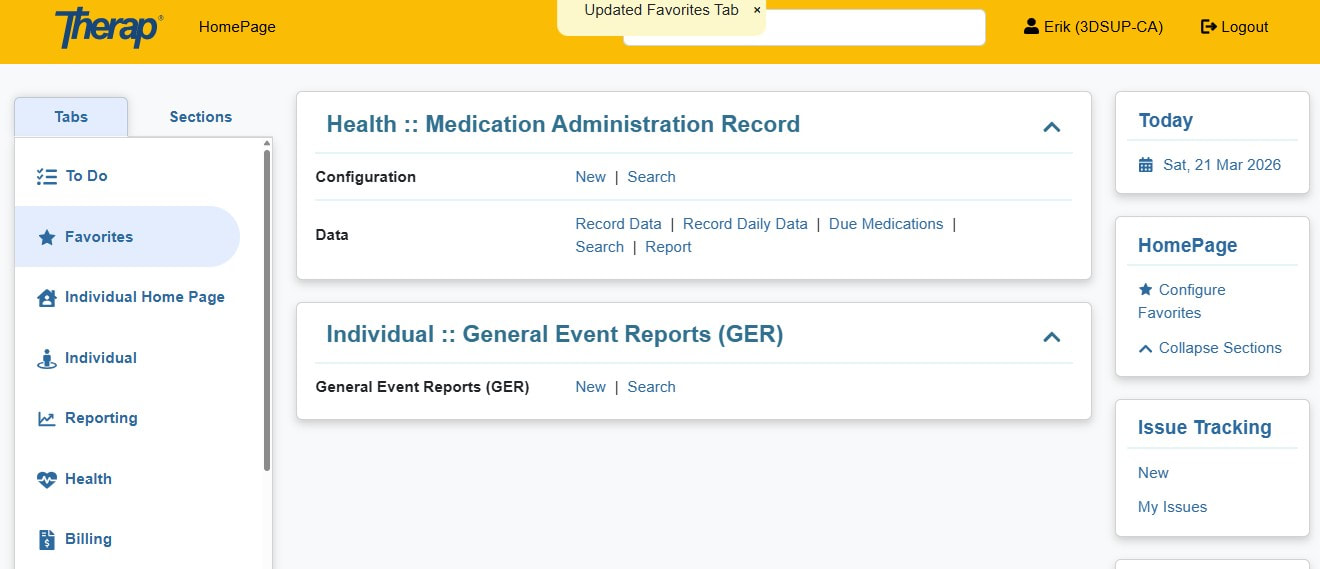
Setting up Therap Home Page
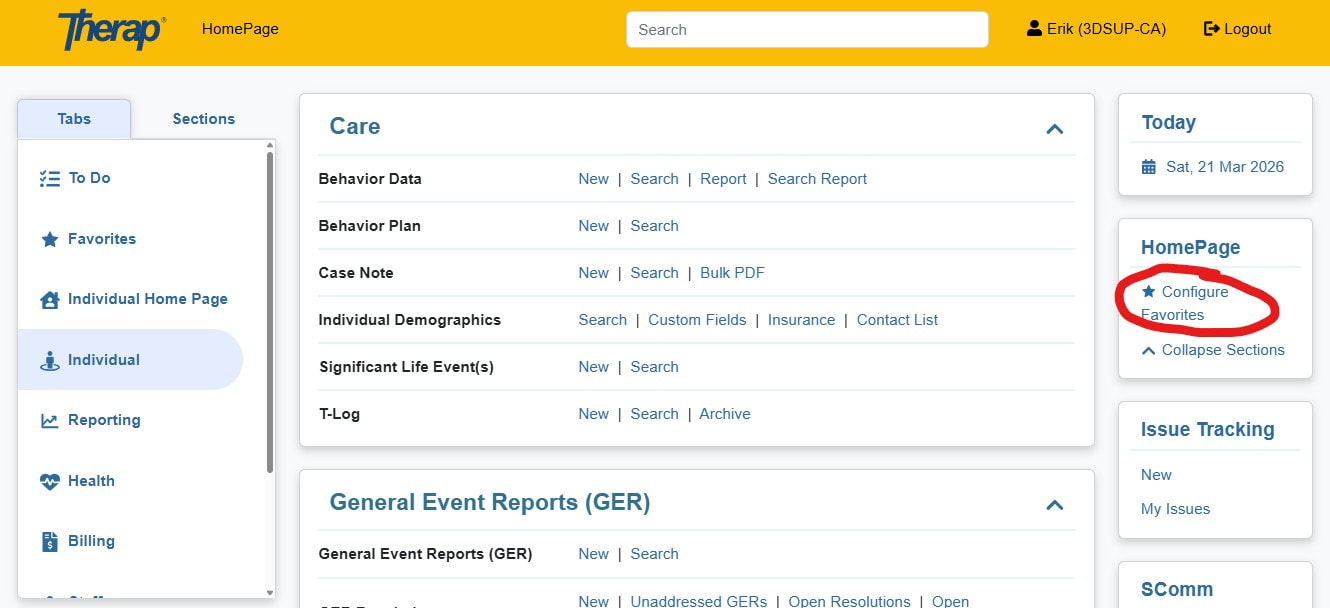
You will see this on the right side of your page. Click on “configure favorites”
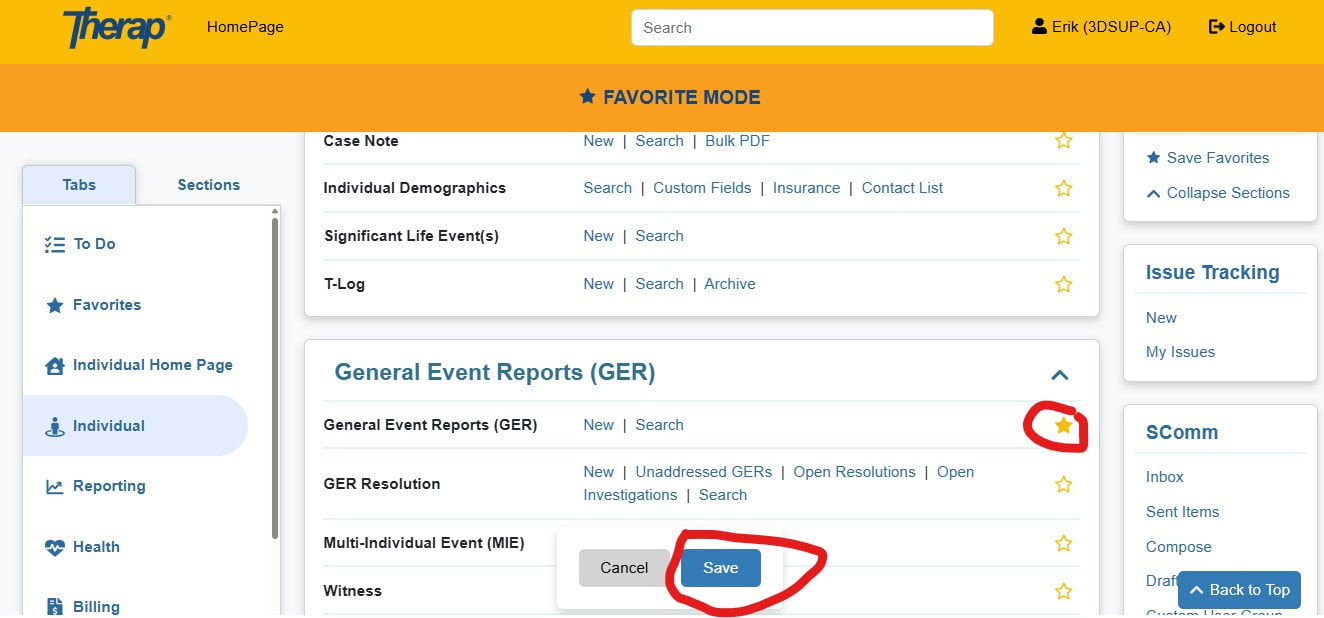
You will see yellow outline stars next to all the modules. When you click on them they go solid. You can navigate through the app and find all you often used modules and click on the ones you use a lot. When done, click “save”.
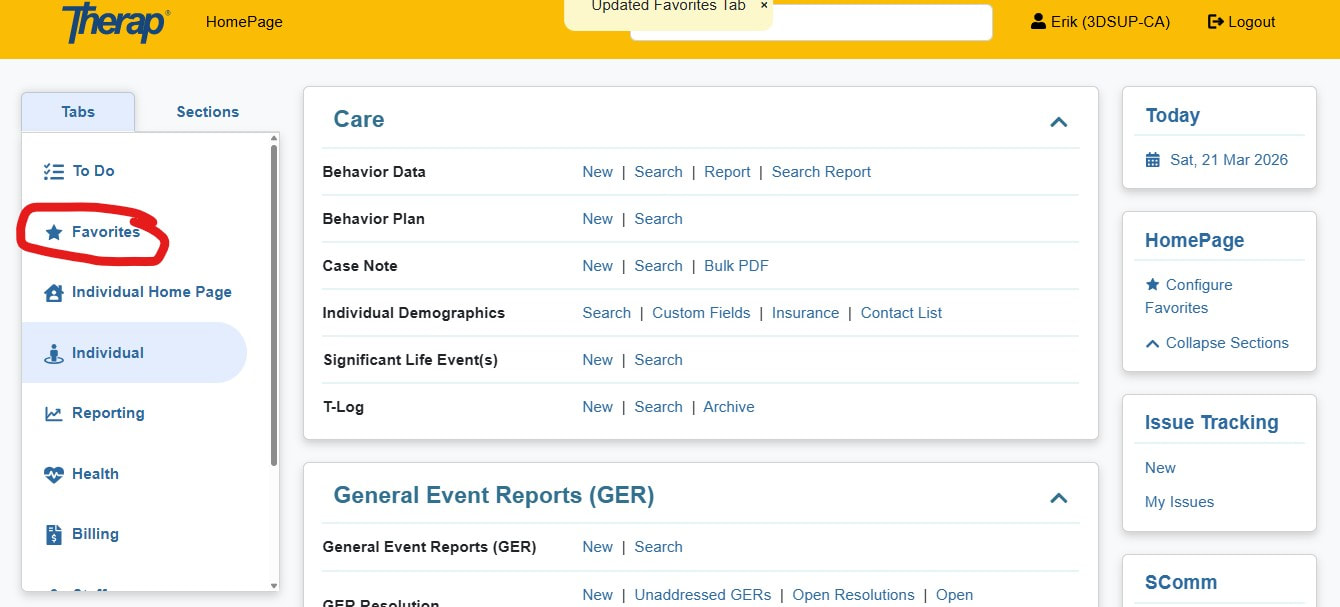
Your favorited page should load when you first log in. You can access it any time by clicking on "Favorites" on the left side of the page,
You will see all the module you selected on your home page.